

- Create a ghost table in the likeness of your original table.
- Migrate that table while empty, slowly and incrementally copy data from your original table to the ghost table, meanwhile propagating ongoing changes (any
INSERT,DELETE,UPDATEapplied to your table) to the ghost table. - Finally, they replace your original table with the ghost table at the right time.
Requirements and limitations
- MySQL versions 5.7 or greater.
- Enable row-based logging.
- Bytebase currently only supports migrating on the primary.
- Foreign key constraints are not supported.
- Triggers are not supported.
How to use
Step 1 - Create an edit schema issue
- Click Edit Schema, choose the database, input SQL and click Preview issue.
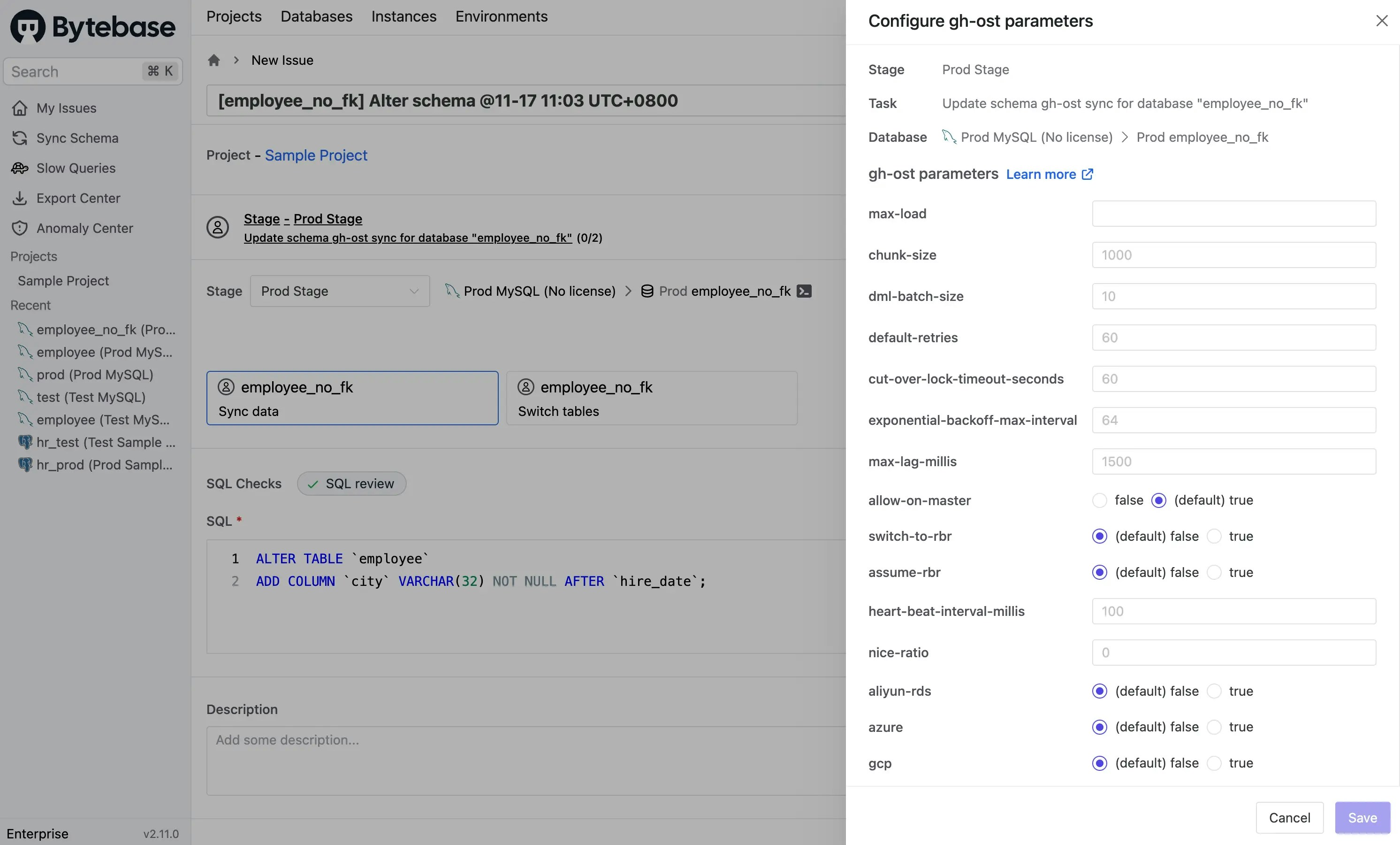
- Before clicking Create, turn on Online migration. You may click Configure to customize the parameters.
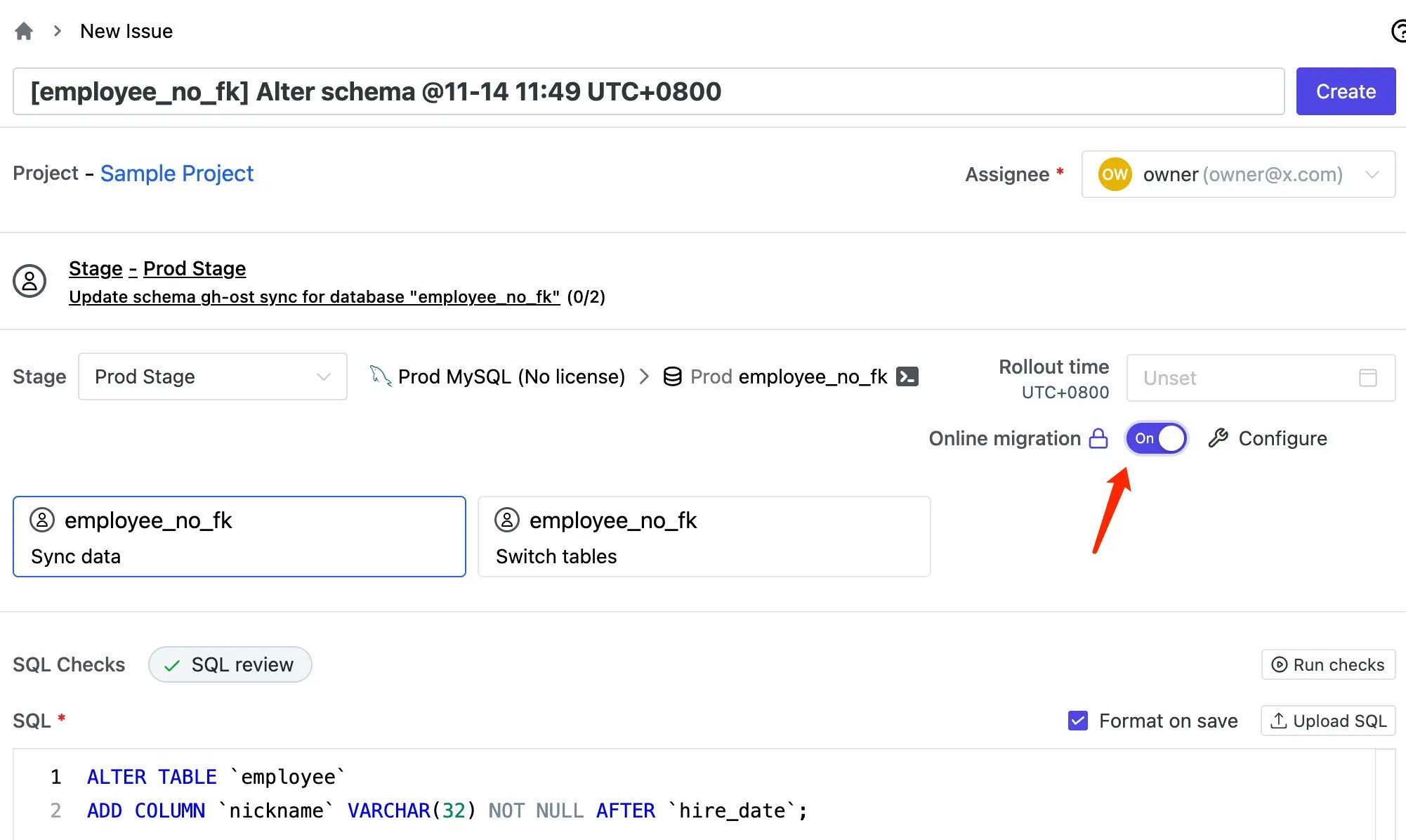
- Sync data: sync your data to the ghost table.
- Switch tables: replace your original table with the ghost table.
- Click Sync data and you’ll find your SQL in the editor. After verifying that, click Create.
Step 2 - Deploy the sync data task
After creating the issue, the Sync data task iswaiting for approval (if custom approval flow is configured) or waiting for rollout. Follow the order to deploy the task.
The Sync data task reads rows on the original table and writes them to the ghost table, meanwhile propagating changes in the original table to the ghost table so that the ghost table can catch up with the original table.
Behind the scenes, gh-ost will create two tables:
- The changelog table:
~yourtablename_{timestamp}_ghc - The ghost table:
~yourtablename_{timestamp}_gho
~yourtablename_{timestamp}_gho and ~yourtablename_{timestamp}_ghc, then retry.
Step 3 - Deploy the switch tables task
Depending on your table size, the Sync data task could take some time to process. When the difference between the ghost table and the original table is small enough, the task automatically completes. The Switch tables task automatically renamesyourtablename, ~yourtablename_{timestamp}_gho to ~yourtablename_{timestamp}_del, yourtablename respectively to switch the original table and the ghost table.
After the Sync data task completes, the Switch tables task is waiting for approval (if custom approval flow is configured) or waiting for rollout. Follow the order to deploy the task.
Step 4 - Delete ~yourtablename_{timestamp}_del after migration
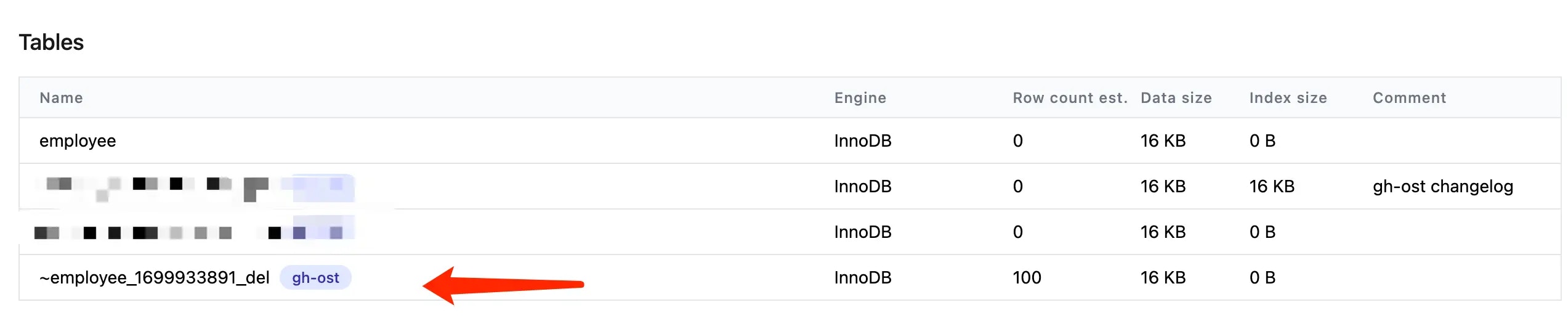
After migration, the original table is renamed to ~yourtablename_{timestamp}_del. Make sure there is no data loss, then manually drop the original table if you wish. You can check the table by clicking Show Bytebase reserved tables on the database page.

Interact with gh-ost
Gh-ost listens on a UNIX socket file. The UNIX socket file name is/tmp/gh-ost.{taskID}.{databaseID}.{databaseName}.{tableName}.sock
To find the UNIX socket file, you must acquire the database and task id.
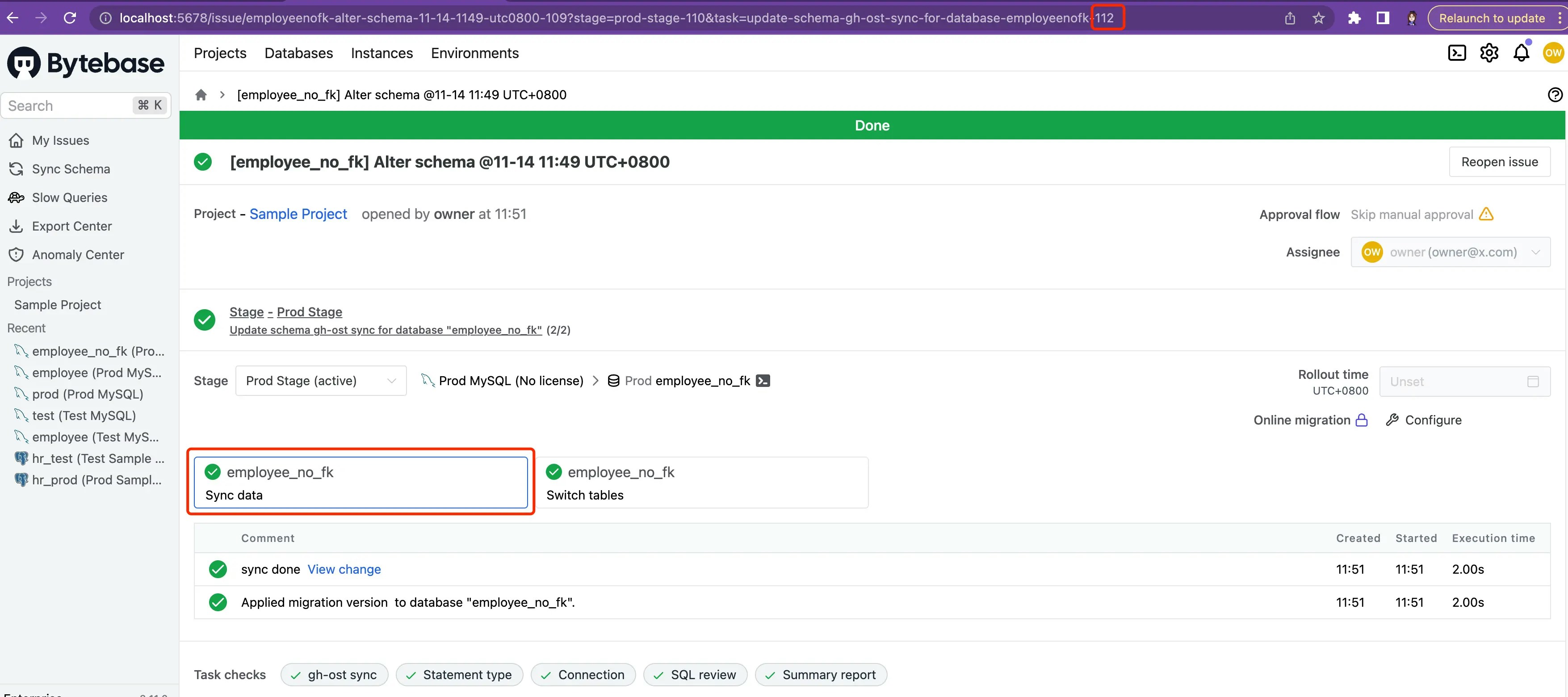
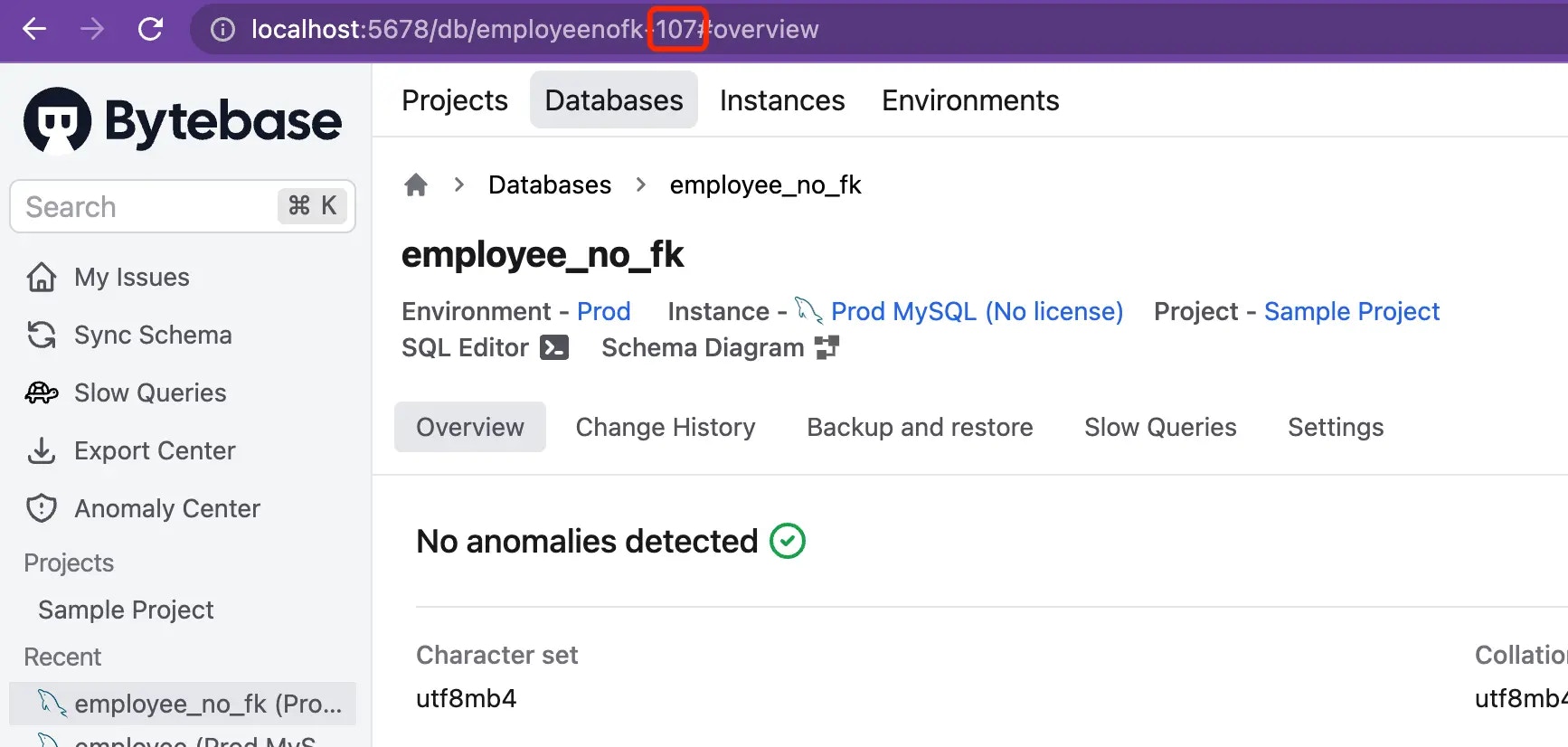
/tmp/gh-ost.112.107.employeenofk.employee.sock
Show gh-ost status
Replace
taskID, databaseID, databaseName and tableName accordingly.Kill gh-ost manually
Replace
taskID, databaseID, databaseName and tableName accordingly./tmp/gh-ost.taskID.databaseID.databaseName.tableName.sock/tmp/gh-ost.taskID.databaseID.databaseName.tableName.postponeFlag
~yourtablename_{timestamp}_gho~yourtablename_{timestamp}_ghc